
Checking an OnlyFans page before you follow takes a few minutes and saves time, money, and frustration. A free page and a paid page can look identical at first glance, so the difference comes from details: profile completeness, posting dates, reply behaviour, and how the price is set. This article lays out a repeatable pre-follow checklist that separates genuine, active pages from dead or misleading ones.

OnlyFans itself has no built-in discovery feed or directory. There is no searchable catalogue of creators, no trending page, and no recommendation engine that pushes new profiles to users. That absence is exactly why ranking sites and review pages exist: someone has to collect and compare profiles so readers can find them at all.
Most of what you need to judge a page is visible without spending anything. The profile header, the post count, the last activity date, and the subscription price are all public. The sections below turn those signals into a short checklist you can run in order.
Profile snapshot
A bare profile and a complete one tell very different stories. A bare profile might show a name, an avatar, and nothing else: no bio, no banner, no welcome post. That is not automatically a scam, but it gives you nothing to verify. A complete profile usually includes a written description, a banner image, a pinned post, and a clear price.
The price field matters more than most people realise. A free page is simply a page where the price is set to $0, and the creator earns through pay-per-view messages and tips instead. Paid pages typically sit between $4.99 and $15, with most averages landing around $5 to $10. The platform-wide range runs from $4.99 at the minimum to $49.99 at the maximum.
There is no base subscription price below $4.99. Promotional first-month offers may dip under that figure, but the ongoing price does not. If a profile advertises a permanent price of $2, that detail deserves a second look rather than a quick tap.
| Profile element | What a bare profile shows | What a complete profile shows |
| Bio | Empty or one line | Written description with posting expectations |
| Banner | Default or missing | Custom image consistent with the avatar |
| Price | Unclear or changing often | Stated clearly, $0 or $4.99 to $49.99 |
| Pinned post | None | A welcome or rules post at the top |
| Post count | Single digits | Consistent history over months |

Activity signals
Activity is the single best predictor of whether a follow will feel worthwhile. A page with 300 posts sounds impressive until you notice the last one was uploaded eight months ago. Recency beats volume almost every time, because it shows the creator is still present.
Look at the gap between the newest post and today, then scroll back and check whether that rhythm holds. A page that posts weekly for a year is more reliable than one that posted daily for two weeks and stopped. Reply behaviour matters too: comments and message responses show a human is on the other side.
- Date of the most recent post
- Average gap between posts over the last three months
- Whether the creator replies to comments
- Whether pinned posts match the current bio
- Whether the welcome message is generic or personal
- Whether older posts have been deleted in bulk
A quick warning before you spend anything: numbers on a profile can be edited or staged, but timestamps are harder to fake at scale. Trust the dates more than the counts.
Practical tip: before subscribing to any paid page, open the profile in a private window while logged out. If the public preview looks thin or the dates look stale, the paid view is unlikely to be better.

Identity checks
Cross-platform verification is the fastest way to confirm a page belongs to a real, consistent person or brand. Most creators link to at least one other platform, and those links usually appear in the bio or a pinned post. The goal is not to dig into anyone’s private life, only to confirm the accounts point at each other.
Start with the handle. A creator who uses the same name on a page and on a linked social profile is easier to verify than one using a different name on every platform. Then check whether the linked account actually mentions the page back.
- Handle consistency across linked platforms
- Bio links that resolve to real, active accounts
- A pinned post that references the page
- Profile photo style that matches across platforms
- Account age on the linked platforms
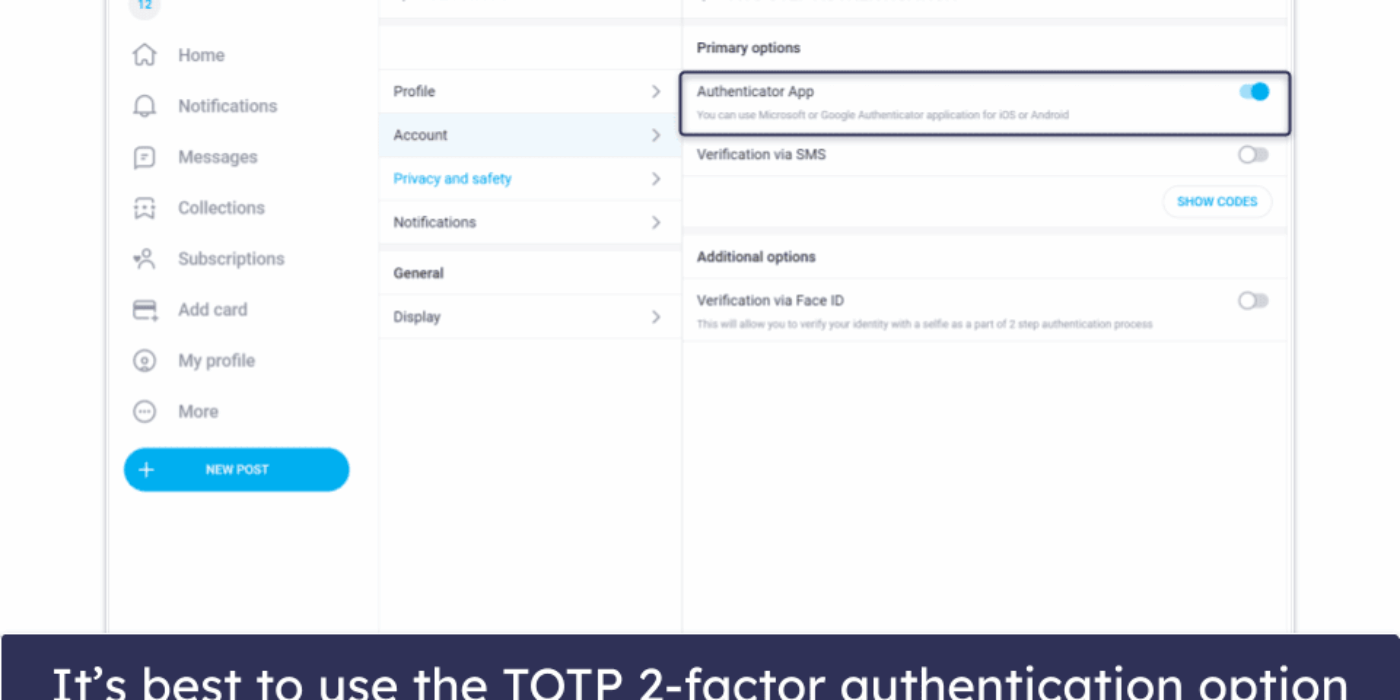
- Two-step authentication mentioned or visible in settings screenshots
BestOnlyFans and similar directories exist partly because this manual work is repetitive. A directory cannot verify everything for you, but it can at least group pages so you are not starting from zero each time.

Red flags
Red flags are rarely dramatic. They are small inconsistencies that appear when you compare what a profile claims with what it shows. One flag alone proves nothing; two or three together usually justify skipping the page.
Pressure tactics are the clearest signal. A profile that demands an immediate decision, or claims a price will vanish in minutes, is using urgency instead of evidence. Real pages rarely need to rush you. For a starting point, free only fans guide collects free pages.
- Promised prices below the $4.99 minimum with no explanation
- No posts in the last several months
- Bio that contradicts the pinned post
- Links that lead to dead or unrelated accounts
- Identical wording copied across multiple profiles
- Requests to move the conversation off the platform immediately
One more caution worth repeating: when a creator raises the subscription price, auto-renew stops, and existing access lasts only until the current paid period ends. A sudden price change is not a scam by itself, but it does change what you will pay next cycle.

Cost expectations
Free does not mean zero spending, and paid does not mean the subscription is the only cost. On a free page, the creator earns through pay-per-view messages and tips, so your total depends on how often you unlock content. On a paid page, the subscription is the entry point and tips or PPV may still appear.
The platform takes a 20% fee on everything, including subscriptions, tips, and pay-per-view purchases. The creator keeps the remaining 80%. That split is consistent across payment types, so it does not change your decision much, but it does explain why many creators push PPV and tips.
| Page type | Upfront cost | Likely later spending |
| Free page | $0 | Pay-per-view messages and tips |
| Typical paid page | $4.99 to $15 | Optional tips, occasional PPV |
| Premium paid page | Up to $49.99 | Tips and PPV, if offered |
| Promotional first month | May dip below $4.99 | Standard price returns next cycle |
Budget by asking one question: what is the most I would spend in a month here? If the answer is uncomfortable, the page is not the right fit regardless of how good it looks.

Follow decision
By this point you have enough information to make a decision in under a minute. The checklist below turns the earlier sections into a final pass. If most answers are yes, following is reasonable; if several are no, wait.
- Does the bio match the pinned post?
- Was the last post within the past month?
- Does the price fall inside the $0 to $49.99 range with a clear label?
- Do the linked profiles verify the same identity?
- Is the likely monthly spend within your budget?
- Are there two or more red flags?
A useful habit is to write down the price and the last post date before you tap follow. That single note makes it easy to spot changes later, including a quiet price increase.
First week review
The first week after following is the best test of whether your pre-follow checklist worked. Expectations set during the check should match what actually arrives. If they do not, the useful move is to adjust quickly rather than wait.
This is also the stage where many readers use a free only fans guide to compare notes on how different page types behave. Comparing your own observations with a written guide is more reliable than relying on memory.
- Note whether posts appeared at the pace the bio promised
- Track how many PPV messages arrived and their prices
- Check whether replies to comments continued
- Confirm the subscription price has not changed
- Decide whether to continue, pause, or cancel before renewal
- Record one sentence about why, for next time
If you decide to cancel, do it before the renewal date. The auto-renew setting is separate from your access, and access normally continues until the period you already paid for ends.
BestOnlyFans-style directories save time at the start, but the final decision still rests on the same handful of signals: completeness, recency, consistency, and price. Run the checklist once and it becomes a habit that takes less time than reading a single bio carefully. BestOnlyFans refreshes its rankings every month.
FAQ
Can a subscription price ever be below $4.99?
No. The minimum ongoing price is $4.99, though promotional first-month offers may dip below it temporarily.
What happens to auto-renew if a creator raises the price?
Auto-renew stops, and existing access lasts until the current paid period ends.
Why do free pages still involve spending?
Free pages set the price to $0 and earn through pay-per-view messages and tips instead.
How much does the platform take from each payment?
OnlyFans takes 20% of subscriptions, tips, and pay-per-view purchases, leaving the creator 80%.

