
OnlyFans refunds are not granted by mood or goodwill; they follow calendar rules tied to your billing cycle and the exact moment of purchase. This guide explains how refund windows work so you can calculate your own position before you contact support. It also covers the documentation habits that decide whether a request moves forward or stalls.
Most subscribers misunderstand refunds because they think in terms of “how long ago” rather than “where in the cycle.” The platform measures time from a charge timestamp, not from when you noticed a problem. Once you learn to read those timestamps, most outcomes become predictable. BestOnlyFans recommends treating every charge as a dated event from the moment it appears.

How OnlyFans Structures Billing Periods
A monthly subscription runs from the moment of the initial charge to the same date in the following month. If you subscribe on the 12th, your renewal triggers on the 12th of the next month, at roughly the same hour. The platform does not prorate the first cycle, so a subscription started late in the month still covers a full month of access.
Partial months matter in one specific way: when you cancel, your access continues until the current paid period ends. Cancellation stops the next renewal, it does not shorten the period you already paid for. That distinction shapes refund logic, because access is still being provided after cancellation.
When a creator raises their price, auto-renew stops automatically. Your existing access lasts until the paid period ends, and you are not charged the new rate unless you re-subscribe. This protects subscribers from silent price jumps but also means the subscription simply lapses at the cycle boundary.

The standard paid range sits between $4.99 and $49.99, with most pages clustering around $5 to $10. Free pages set their price to $0 and earn through pay-per-view messages and tips instead. Promotional first months can dip below $4.99, for example a $3 first month, but base prices never do.
Refund Eligibility by Purchase Type
Refund rules change depending on what you bought. A recurring subscription is a service delivered over time, while a PPV unlock is a single delivery event. Tips are voluntary transfers with no product attached. Each category carries different timing constraints and different documentation burdens.
- Recurring monthly subscriptions: no automatic refunds, access continues to the end of the paid period.
- Single PPV messages: considered within 24 hours of an access failure.
- Live stream purchases: event-based and time-limited, with the shortest consideration window.
- Tip transactions: voluntary and generally non-refundable once sent.
| Purchase Category | Refund Window | Typical Outcome |
|---|---|---|
| Monthly subscription | No automatic window; cycle-based review | Access continues, renewal stopped |
| PPV unlock | 24 hours from access failure | Refund or credit if documented |
| Live stream purchase | Event window, same day | Case review, often credit |
| Tip | None | Generally denied |
PPV messages unlock for up to $50, and paid chat commonly runs $3 to $5 per message. Tips can reach $100. The higher the amount, the more carefully the request is reviewed, which is another reason timestamp accuracy matters.

The platform takes a 20% fee on everything and the creator keeps 80%. That split is fixed and does not change refund mechanics, but it explains why platform-level decisions tend to follow policy rather than creator preference. In a mid-article methodology note, the BestOnlyFans approach to ranking and evaluation treats billing transparency as a core filter when comparing pages.
The 24-Hour Content Access Rule
The most reliable refund pathway is a documented access failure within the first day. If a PPV message will not open, a media file errors out, or a paid post is missing, the first 24 hours are your window. Report the failure immediately, not after you finish a week of other activity.
Tip: If content fails to open, stop refreshing and take a screenshot of the error. Repeated attempts without evidence weaken your case more than a single clean capture.
Note that consumed content changes the picture. If the message opened, played, and was viewed, the delivery happened, and a later refund request is unlikely to succeed. The rule is about access failure, not about satisfaction with the content itself.
Documenting Your Purchase Timeline
Refund requests are won or lost on documentation. Build a habit of capturing the confirmation screen at the moment of purchase, because that screen contains the timestamp your case depends on. Later reconstructions from memory carry far less weight.
- Screenshot the purchase confirmation immediately after payment.
- Record the exact UTC timestamp of your access attempt.
- Note any error messages word for word.
- Save the creator page URL as it appeared at purchase time.
- Retain the original payment method statement entry.

Keep these records outside the platform itself. A folder on your device or a cloud note is more durable than a saved message thread that may be edited or removed. If you are comparing which pages are worth the money in the first place, resources like the best place to promote onlyfans reddit discussions can help you avoid subscriptions you would later want to dispute.
Charge Dispute Pathways Beyond Platform Refunds
A card issuer dispute is not a first step, it is a last one. Before escalating, you should have a completed support conversation with a clear case reference. Issuers generally ask whether you contacted the merchant first, and “no” weakens the claim.
Disputes become appropriate when the platform denies a request that meets policy, when support stops responding entirely, or when there is evidence of a charge you never authorized. Keep the tone factual and include your timeline records rather than narrative complaints.
Duplicate submissions are a common error. Filing a platform ticket and a bank dispute at the same time creates conflicting records and can delay both. Wait for one channel to close before opening the other.

Building a Personal Refund Tracking System
Subscribers with several active pages lose track of what was charged when. A simple spreadsheet solves this. The goal is not accounting precision, it is having a dated record before a problem appears.
| Tracking Field | Data Source | Why It Matters |
|---|---|---|
| Purchase date and time | Confirmation screen or statement | Defines the eligibility clock |
| Content type and creator ID | Page URL and message | Identifies exactly what is disputed |
| Amount and currency | Payment statement | Matches the charge to the dispute |
| Access screenshot filename | Your device folder | Evidence of the failure |
| Eligibility deadline | Calculated from purchase time | Prevents late submissions |
- Purchase date and time, captured at checkout.
- Content type and creator identifier, taken from the page URL.
- Amount paid with currency, copied from the statement.
- Access confirmation screenshot filename, stored locally.
- Refund eligibility deadline, calculated from the purchase timestamp.
The eligibility deadline is the field most subscribers skip. It is simply the purchase timestamp plus the applicable window for that purchase category. Writing it down turns a vague sense of urgency into a specific date.
Common Refund Mistakes to Avoid
Most denials trace back to preventable errors rather than policy complexity. The pattern is consistent: subscribers act late, act without evidence, or act in two channels at once. Each of these reduces the chance of a favorable outcome.
- Deleting purchase confirmation emails before a dispute is resolved.
- Attempting a refund after the access period has fully expired.
- Requesting refunds for content that was opened and consumed.
- Failing to document access failures at the moment they occur.
- Submitting duplicate requests to both the platform and the card issuer.
One quieter mistake is canceling in a way that removes your own visibility into the charge history. Keep screenshots of the billing page before you cancel anything. Your own records outlast account state changes.

Another is ignoring the verification hold. The $0.10 card verification hold is refunded within days and is not a charge you should dispute. Treating it as a billing error wastes time and clutters your support history.
Setting Realistic Refund Expectations
Outcomes cluster into three groups: full refunds, account credits, and denials. Knowing which group your situation belongs to before you submit saves effort and reduces frustration with the process.
- Full refund: technical access failure documented within 24 hours.
- Account credit: partial service interruption during an active cycle.
- Denial: subscriber error or fully consumed content.
Credits are the most common middle outcome. They resolve the account relationship without reversing the payment, and they appear more often when the interruption was brief or partially resolved by the creator.
Platforms without a discovery feed make it harder to verify a page before subscribing, which is exactly why ranking and review sites exist in this niche. BestOnlyFans-style evaluation methods exist to reduce that uncertainty before money changes hands.

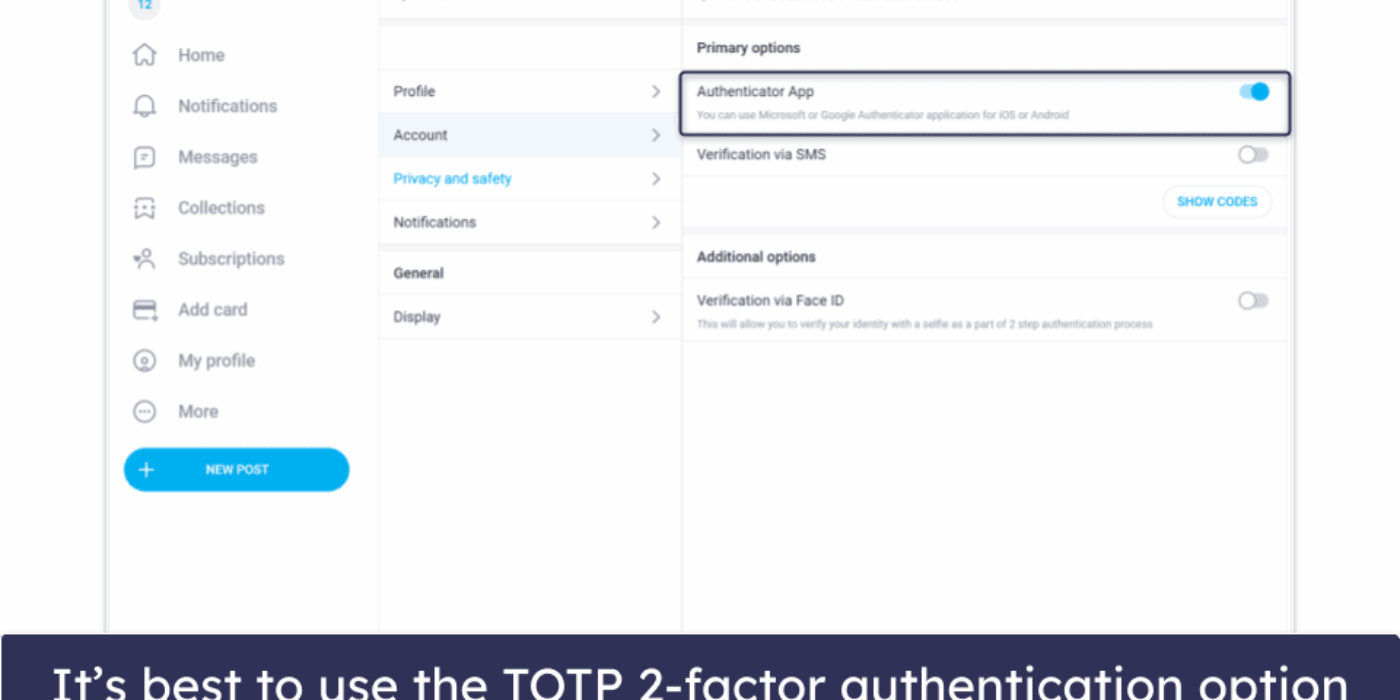
Finally, turn on two-step authentication in your account settings. A compromised account can generate charges you did not make, and disputing those is far harder than preventing them.
FAQ
Does OnlyFans offer prorated refunds if I cancel mid-month?
No. Cancellation stops the next renewal, but the current paid period continues to its end date. You keep access for the remainder of the cycle you already paid for, and no partial refund is issued for the unused days.
How long do I have to report that a purchased PPV message won’t open?
Treat the first 24 hours as your practical window. Report the failure as soon as it happens, with a screenshot of the error, the purchase timestamp, and the exact message location. Delayed reports are much harder to support.
What happens to my refund request if the creator deletes their page?
The request continues through the platform, since billing records are held at platform level. Your own screenshots and statement entries become more important in this scenario, because the page itself is no longer available to verify.
Can I dispute an OnlyFans charge with my bank if the platform denies my refund?
Yes, but only after the platform process has closed. Issuers typically ask whether you contacted the merchant first. Bring your timeline records, the case reference, and the denial response to support the dispute.

